

CartCaddie
Interactive Golf Cart GPS
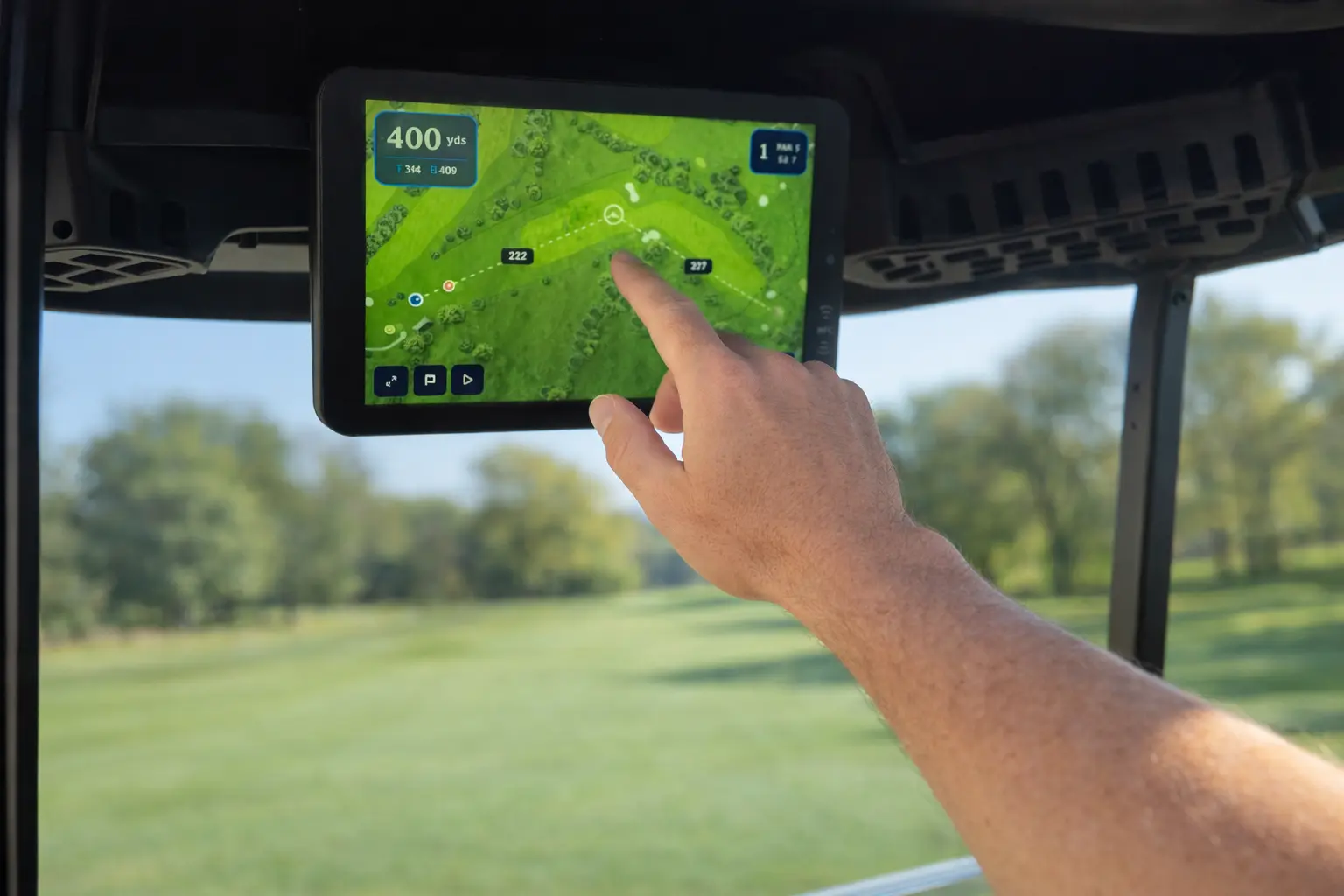
HD cart-mounted touchscreen
Interactive course maps, GPS distances, and digital scorecard.
All major brands:
Elevate the Golfer Experience
Interactive course guide
Real-time GPS, hole details, and shot planning on a cart-mounted touchscreen.
Interactive Map
Full-color aerial view. Pinch, zoom, pan.
Touch-for-Distance
Tap anywhere for instant distance from your cart.
Digital Scorecard
Track scores for the group. No pencils.
GPS Distances
Front, center, and back distances updated in real time.
Keep Score Together
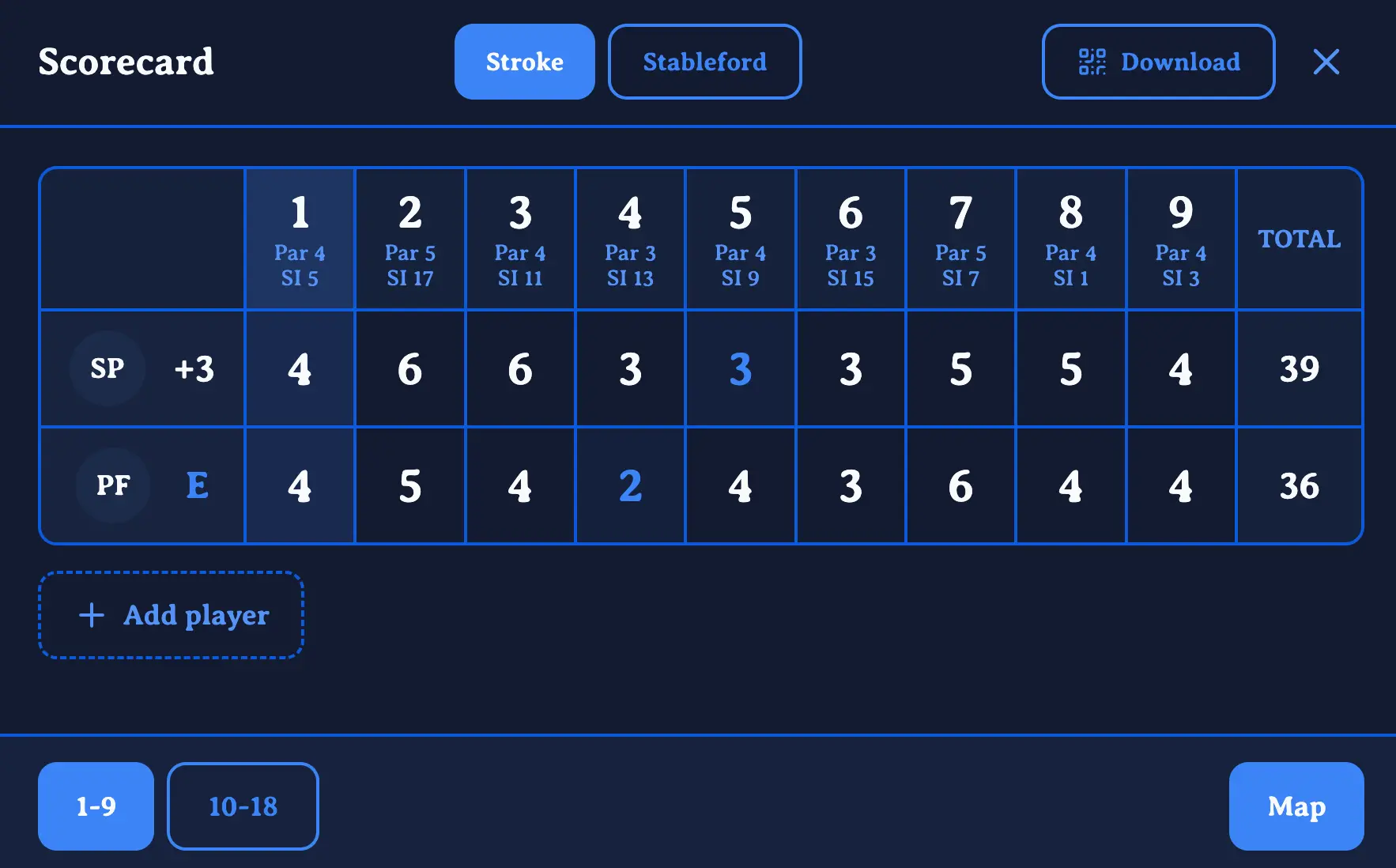
Interactive scorecard
An interactive scorecard for the whole group — set up players, pick your format, and let the screen handle the math hole by hole.
Multi-Player Setup
Add the entire group and track every player on a single card.
Stableford or Stroke Play
Switch scoring formats with a single tap, anytime during the round.
Handicap-Adjusted Scores
Net scores calculated automatically alongside gross, with playing handicap applied per hole.
Download via QR Code
Scan to save the finished scorecard straight to any phone — no app needed.

Same Guide. Every Pocket.
Your course guide goes further than the cart
Players get the same GPS-powered guide from your fleet tablets — right on their phone via QR code. No app, no account.
One QR Scan
Display a QR code in the clubhouse, on the cart, or at the first tee — players scan and the guide opens instantly on their phone.
No App, No Signup
Browser-based — works on any phone. Zero downloads, zero friction.
Free for Every Player
Included with your CartCaddie fleet. Every golfer gets the guide at no extra cost.
Protect Your Course
On-screen geofencing
Turns geofences into a visible experience. Golfers see warnings directly on the screen before they reach restricted areas — reducing turf damage and keeping play moving.
On-Screen Zone Alerts
Full-screen warning messages when entering greens, tee boxes, or restricted paths.
Visible Restriction Zones
Geofence boundaries highlighted on the map so golfers see where they can and can't go.
Course Maps
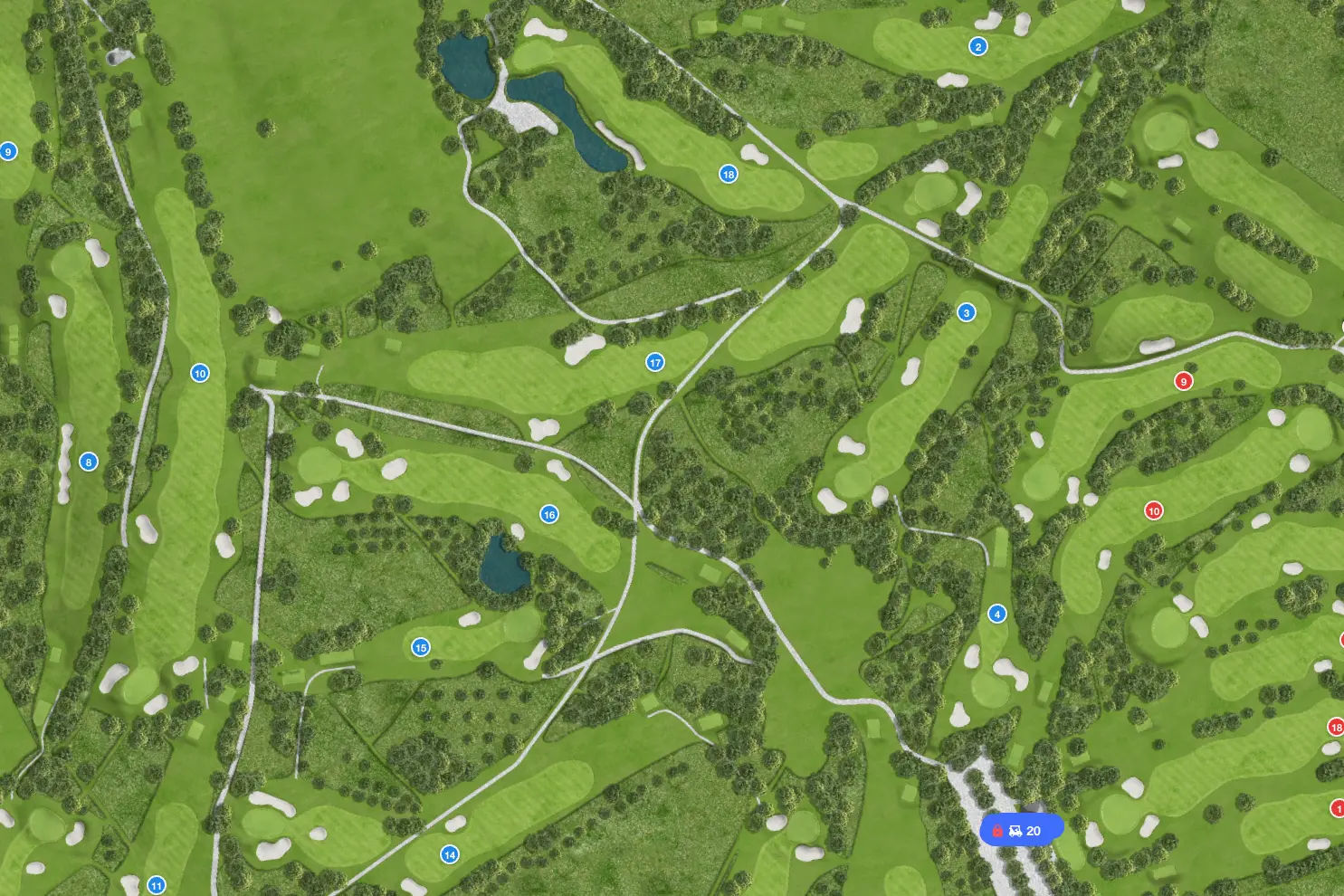
Stunning HD maps
Every course receives a bespoke, highly detailed site map created by specialist golf course cartographers. Your golfers see the course exactly as it is.
Professionally Mapped
Bespoke maps produced by specialist golf course cartographers — not generic satellite tiles.
Full-Screen Experience
Edge-to-edge display with native map controls. Pinch, zoom, and pan across the entire course.
Vehicle Control
Geofence cart STOP
CartCaddie Control physically stops carts when they enter restricted zones — available on all major cart brands via a BLE dongle. Standard CartCaddie includes alerts only.
Geofence Stop
Cart motor disengages at zone boundaries. Automatic, instant, and reliable.
Remote Vehicle Control
Start, stop, or lock any cart from the fleet management dashboard.
Cart Stopped
Restricted zone boundary reached
CartCaddie Pricing
Choose your plan
- Cart-mounted touchscreen
- Interactive course map
- GPS distances & scorecard
- Realtime fleet tracking
- Geofence alerts
- Fleet management dashboard
- On-screen course alerts
- Bookings calendar
- Everything in CartCaddie
- Geofence cart stop (via dongle)
CartCaddie Control adds a BLE dongle connected to the forward/reverse switcher. Pricing on request — contact us for details.
Frequently asked questions
Common questions about compatibility, features, and ordering.
Ready to add CartCaddie to your fleet?
Get in touch — we'd love to hear from you.